Text messages
Oakwen account texts from Big Blue Care PLLC d/b/a Oakwen
Last updated: October 25, 2026
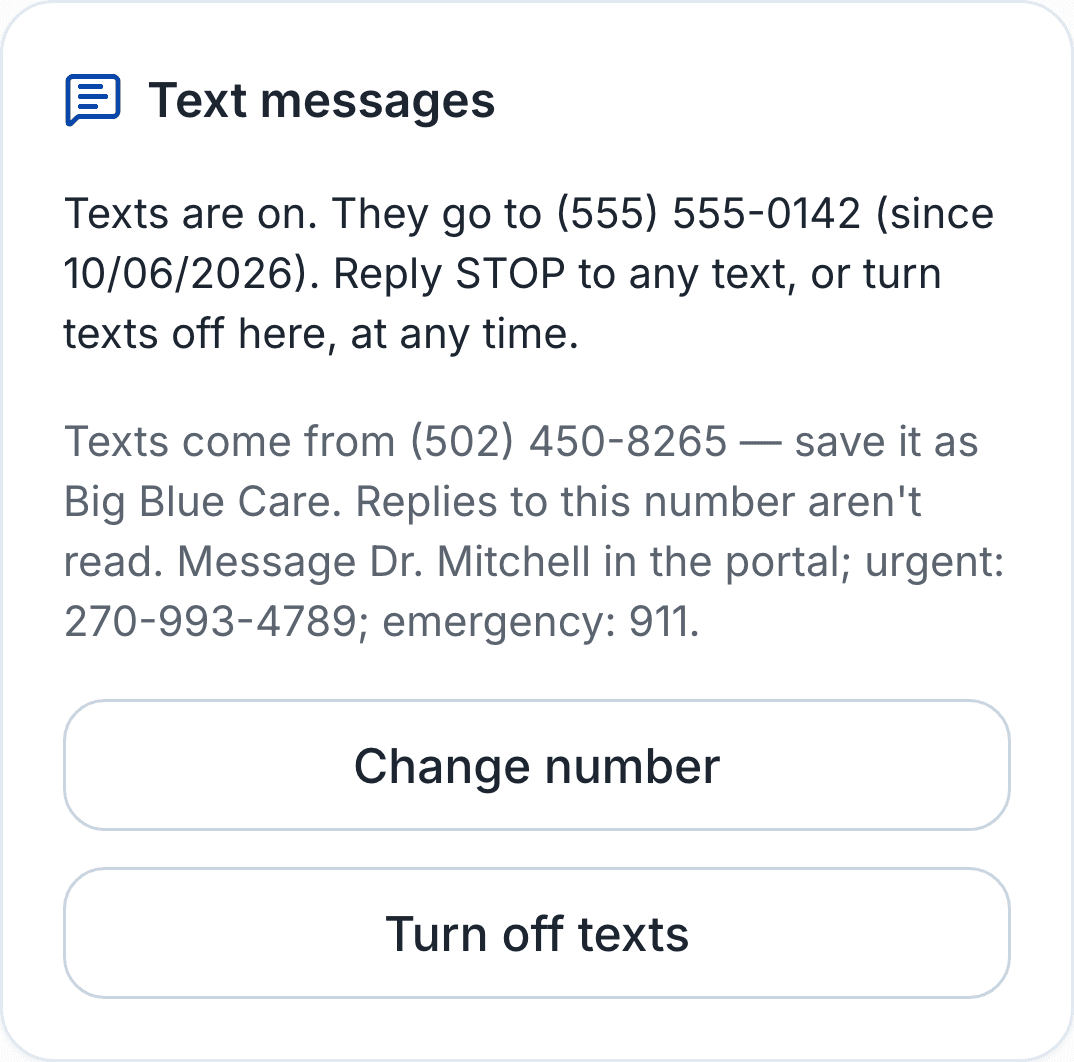
For patients: to turn texts on or off, sign in at oakwen.com and go to Profile. You can also reply STOP to any text.
What we text
Oakwen patients can choose to get updates about their own account by text: check-in reminders, payment links, shipping updates, new-message alerts. Texts link to the patient's secure portal and never include medication, dose, or other health details. Message frequency varies, up to 10 msgs/month. Message and data rates may apply.
Texting is optional. Email updates continue whether or not a patient opts in, and consent is not required to receive care. We do not send marketing texts.
Texts come from (502) 450-8265 — save it as Oakwen. Replies to this number aren't read. Message us in the portal; urgent: 270-993-4789.
How patients opt in
Only patients with a portal account can opt in, in one of three places. In each, the box is unchecked until the patient checks it, and it is separate from every other agreement:
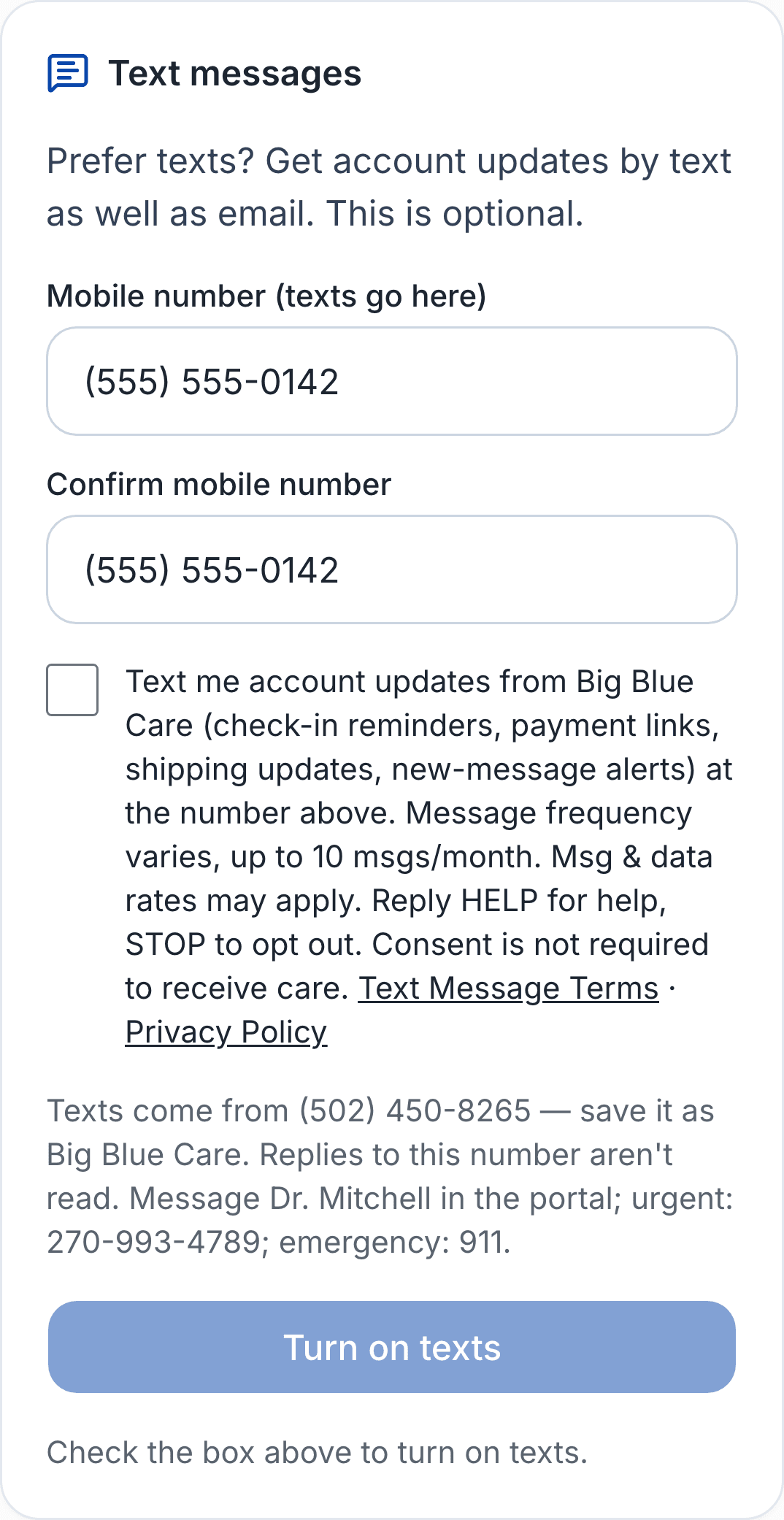
- Profile page (signed-in patients): enter the mobile number twice to confirm it, check the box, and select “Turn on texts.”
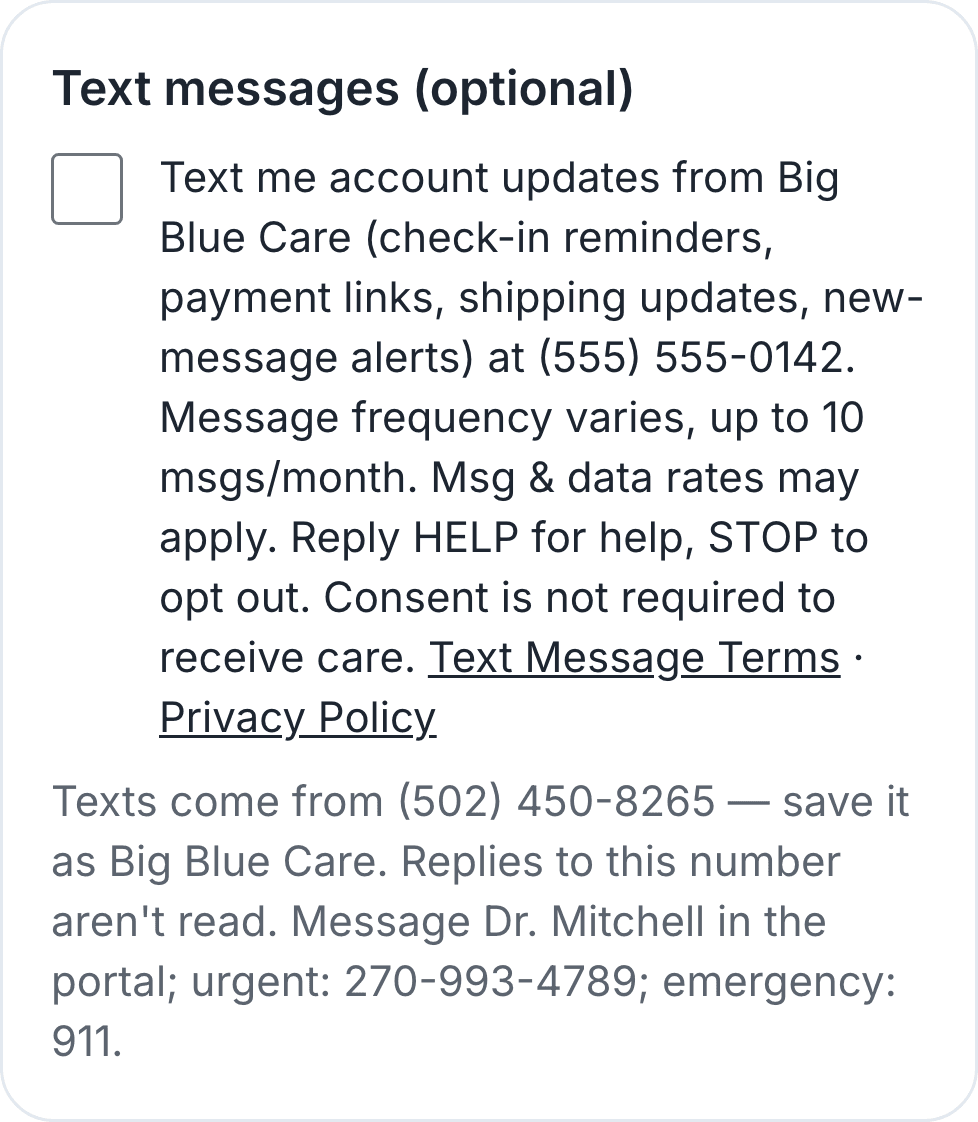
- New-patient sign-up, on the consents step: an optional “Text messages” box below the required agreements. There the wording names the number the patient entered earlier in sign-up in place of “the number above.”
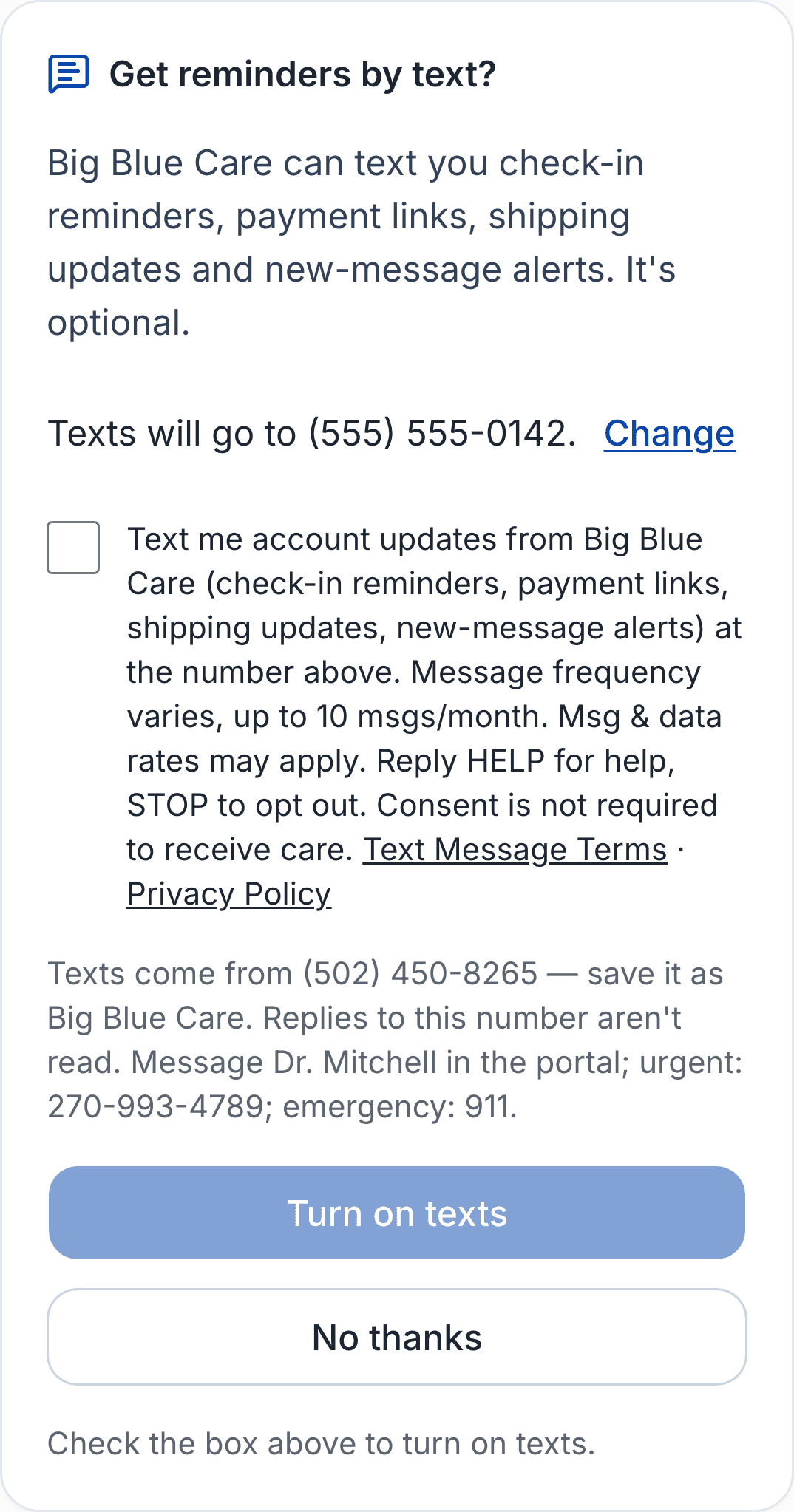
- After a refill check-in: once the check-in is submitted, an optional “Get reminders by text?” card that shows the number on file (with “Change” to enter and confirm a different one), the same unchecked box and wording, and “Turn on texts” or “No thanks.” It is shown only to patients who have never opted in or out, and “No thanks” is remembered.
The wording beside the box:
☐ Text me account updates from Oakwen (check-in reminders, payment links, shipping updates, new-message alerts) at the number above. Message frequency varies, up to 10 msgs/month. Msg & data rates may apply. Reply HELP for help, STOP to opt out. Consent is not required to receive care. Text message terms · Privacy policy
After opting in
The patient sees an on-screen confirmation, and the first text is this welcome message:
Oakwen: You're signed up for account texts. Up to 10 msgs/month. Msg & data rates may apply. Reply HELP for help, STOP to opt out.
Stop or get help
Reply STOP to any text to stop all texts (or turn texts off on the Profile page). Other ways of saying it, such as “please stop texting me” or “unsubscribe,” also stop texts. Reply START (or tap here to text START) to resubscribe. Reply HELP for help, or email support@bigbluecare.com.
Mobile carriers are not liable for delayed or undelivered messages. We do not sell or share your SMS opt-in data or personal information with third parties for marketing purposes. See our Text message terms and Privacy Policy.